









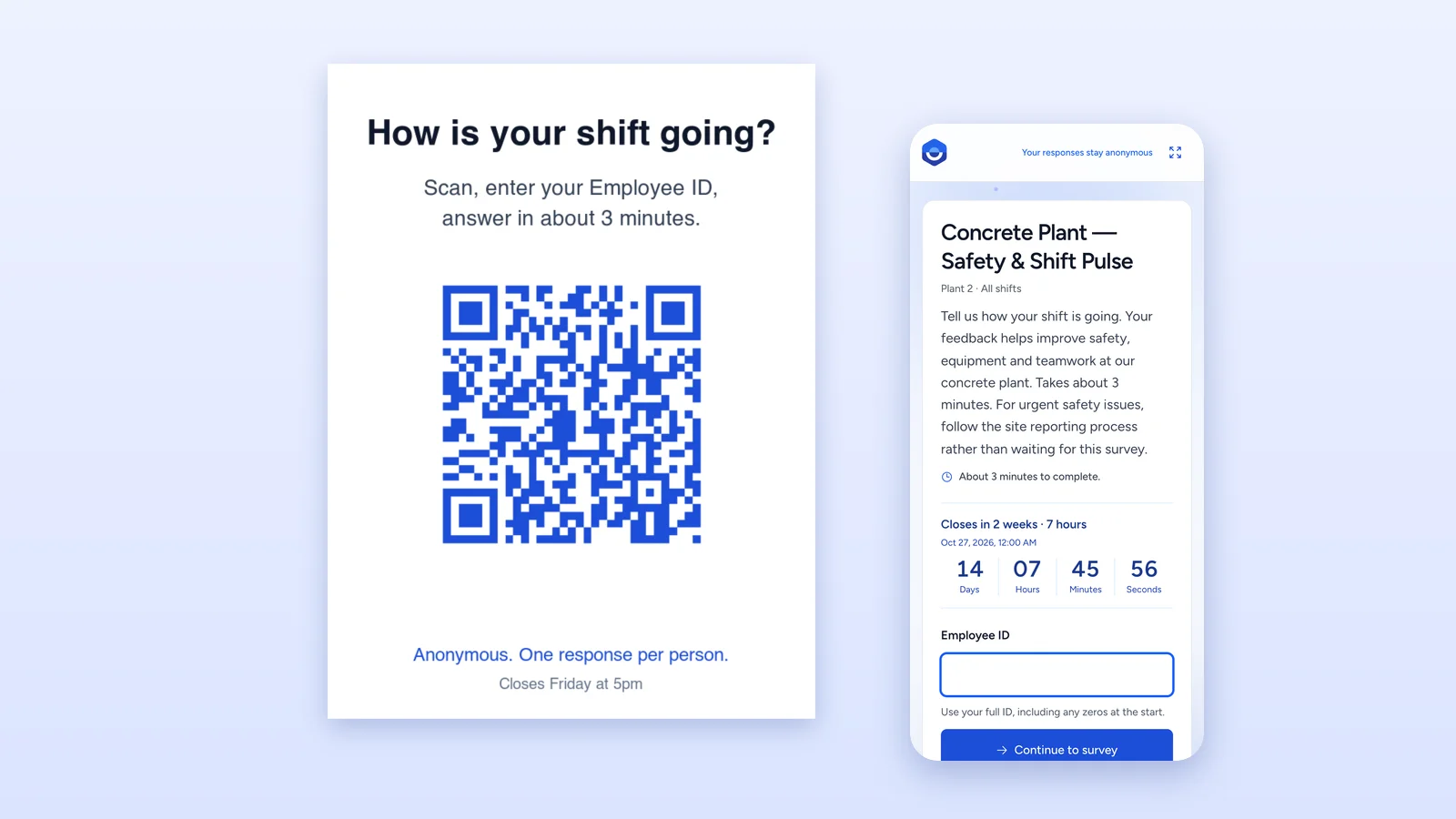
To survey employees without email, give them one shared link or QR code and let them check in with something they already have, usually their Employee ID. The alternatives are paper, SMS, an open QR code, a kiosk tablet, or a link in team chat. Each one trades off reach, anonymity, duplicate control, and the admin work it creates.
That trade-off matters more than it sounds. If the survey only goes to people with an inbox, your results describe the office and the supervisors, not the people on the line, in the store, or on the ward. Then the decisions that follow are made for the people who answered.
This guide compares the six common methods, explains how to keep a survey anonymous when people identify themselves to get in, and walks through a rollout you can run at one site next week.
Key Takeaways
- The best digital option for staff without email is a shared link or QR code with an Employee ID check-in.
- An open QR code with no check-in reaches everyone but can't stop duplicates or outsiders.
- Checking in and staying anonymous are compatible when the tool separates access from reporting.
- Shared tablets need answers cleared between people and an idle reset, or they leak responses.
- Keep it to five to eight questions, and post results where the QR code was.
The six ways to survey employees without email
| Method | Reach | Stops duplicates | Anonymity | Admin effort | Best for |
|---|---|---|---|---|---|
| Paper and a drop box | Everyone on site | No | Good, until handwriting or small teams give people away | High: printing, collecting, typing up | Tiny sites, no connectivity |
| SMS link | Anyone with a registered mobile | Only with personal links | Depends on the tool | Medium: collect numbers and consent, pay per message | Teams already texted about shifts |
| Open QR code or link | Anyone who sees it | No | Good | Low | Quick polls where duplicates don't matter |
| Kiosk tablet | Anyone who passes it | Only with a check-in | Good if it resets between people | Medium: device, stand, charging | Fixed points like time clocks and canteens |
| Team chat link (Slack, Teams, WhatsApp groups) | Members of the chat | Only with check-in or personal links | Depends on the tool | Low | Teams that already live in chat |
| Shared link or QR code with Employee ID check-in | Everyone on your roster, any device | Yes, one per ID | Good, reported anonymously | Low: one roster upload | Frontline and mixed workforces |
1. Paper surveys
Paper still works where nothing else does: a site with no signal, or a team that won't touch a device. It is also the slowest way to get an answer. Someone has to print, collect, and type every form, and on a team of six, handwriting can give people away. There is no way to stop one person filling in three forms. If you keep paper, keep it as the fallback for the few people who ask, not the main channel.
2. SMS survey links
A text message gets read. The catch is everything around it: you need a current mobile number and consent for every employee, you pay per message, and many people are uneasy about an employer texting their personal phone. If you already text shift changes, SMS is a reasonable channel. If you don't, collecting hundreds of numbers just for a survey is a lot of work and a lot of personal data.
3. An open QR code or link
Posting a QR code is the fastest thing you can do, and it reaches anyone who walks past. Without a check-in step, though, the survey can't tell one person from another. The same person can answer five times, a contractor or visitor can answer, and a photo of the poster can travel anywhere. For a quick "how was the canteen this week" poll that's fine. For an engagement survey you'll make decisions from, it isn't.
4. A kiosk tablet
A tablet on a stand by the time clock catches people at a natural pause and doesn't ask them to use their own phone or data. The risk is the shared screen. If the survey doesn't clear each person's answers before the next one walks up, or keeps an unfinished response on screen when someone leaves mid-way, the kiosk becomes a privacy problem. Look for automatic reset after each submission, an idle timeout, and a fullscreen mode, then lock the tablet to the browser in its own settings (Guided Access on iPad, screen pinning on Android).
5. A link in team chat
If a team already uses Slack, Microsoft Teams, or a WhatsApp group, a survey link posted there is cheap and familiar. It only reaches people in the chat, though, and a plain link has the same duplicate problem as an open QR code. It works best as a reminder channel that points to a survey with a check-in, rather than as the survey itself.
6. A shared link or QR code with Employee ID check-in
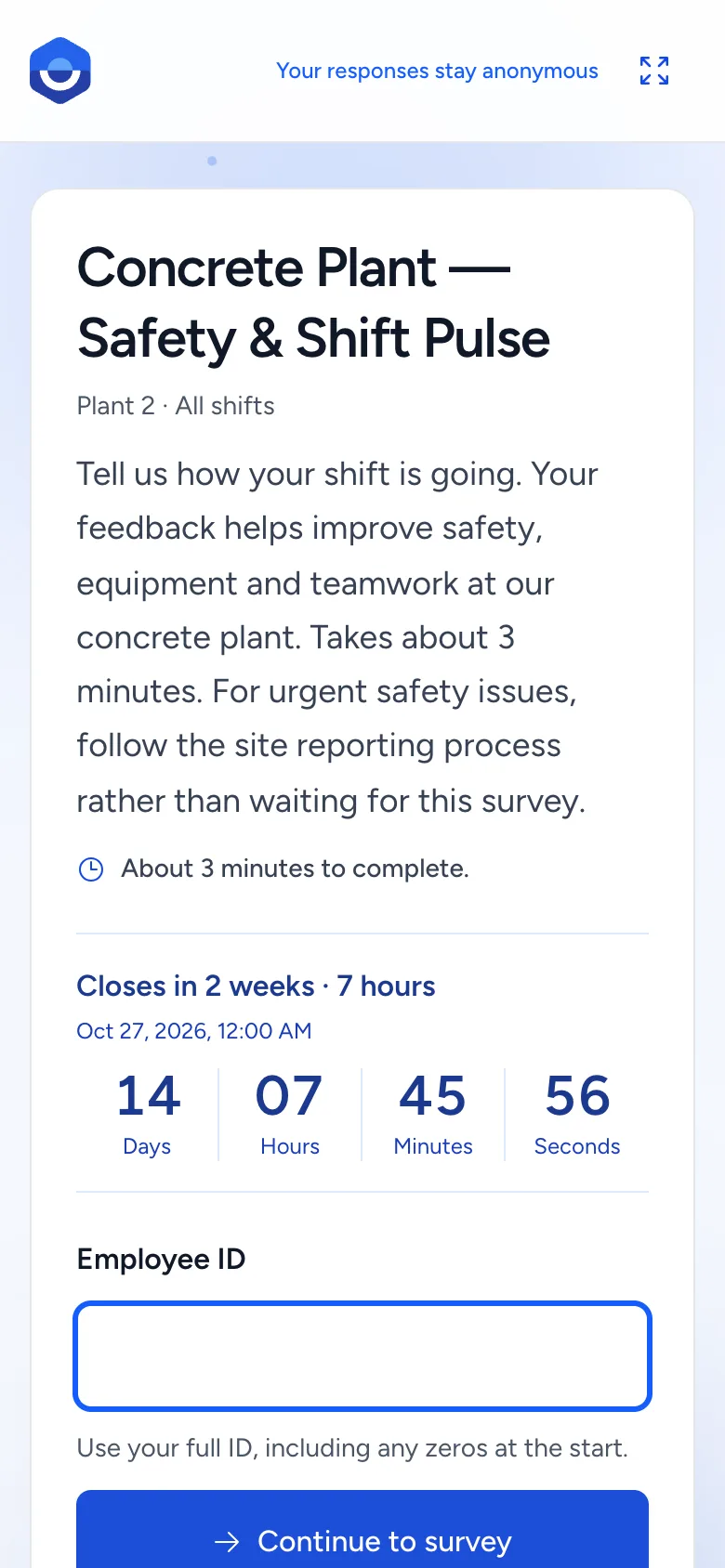
This combines the reach of a QR code with the control of a personal invite. You publish one link and QR code. Employees open it on any device, type their Employee ID, and only then see the questions. The tool accepts IDs from the people you selected, refuses everything else, and lets each ID respond once. Nobody needs an account, an app, or an email address, and the same code works on personal phones and a shared tablet.
The cost is a roster: you need a list of names and Employee IDs, which most organizations already have in payroll. The other limit is that an Employee ID isn't a password. Someone who knows a coworker's ID could answer as them, once. In practice the real employee then sees "already completed" and raises it, which is easier to spot than duplicate paper forms.
How to keep it anonymous when people check in
The most common objection to an Employee ID check-in is "then it's not anonymous." It can be, as long as the tool separates two jobs:
- Access. The ID decides whether you're allowed in and whether you've already answered. That's all it should do.
- Reporting. Results are reported without names, and anonymous results stay hidden until enough people have answered, usually at least three, so a small shift team isn't exposed.
Ask any vendor how those two are separated, who can see participation status, and what the minimum group size is before results appear. Then say it plainly in the survey introduction, on the poster, and at the huddle: "Your ID gets you in and stops double answers. Your manager can't see what you said." People on frontline teams are often more skeptical of surveys than office staff, and the explanation does as much for response rates as the QR code. Our anonymous survey page sets out exactly how FeedbackPulse handles it, including where anonymity can still break down.
How to run a QR code employee survey, step by step
1. Build a roster keyed on Employee ID
Export name, Employee ID, department, and location from payroll or your HRIS. Email can be blank. Check two things before you import: IDs are unique, and leading zeros survived the export (spreadsheets love to turn 00421 into 421). Department and location columns are what let you compare sites later without naming anyone.
2. Write a short survey
Five to eight questions, about three minutes. Ask about things the site can change: tools and equipment, safety, shift scheduling, how supervisors treat people, whether raised problems get fixed. Add one eNPS question if you want a number to track, and one open question. Write an introduction that says how long it takes and, if it's relevant, that urgent safety issues go through the normal reporting process rather than the survey.
3. Choose a shared link with check-in
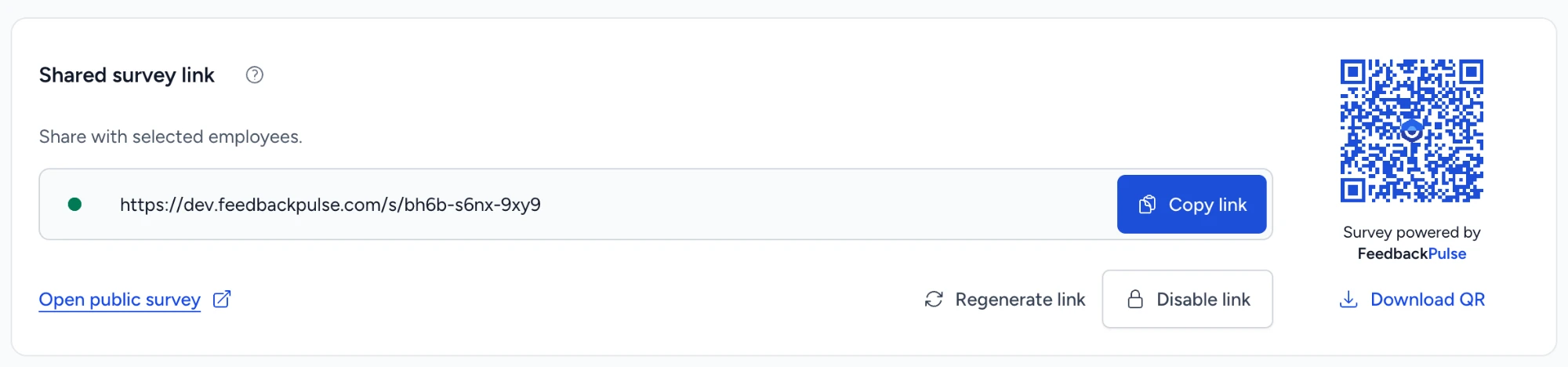
Set the survey to a shared link and select who can answer. Check the opening and closing dates; a two to four week window gives every shift pattern a chance, including people on nights and rotating rosters.
4. Put the QR code where people stop
Print the QR code at a size that scans from arm's length and put it where people pause: the time clock, the break room, the locker area, the canteen queue, the staff entrance. A tablet on a stand by the clock helps people who don't want to use their own phone or data. Put the closing date on the poster.
5. Remind people in person
A shared link can't send reminders by itself, and that's usually fine, because frontline reminders work better face to face anyway. Mention the survey at shift huddles, ask supervisors to give people a few minutes on the clock to answer, and remind them in the last few days before it closes. Paid time to answer is the single biggest lever on frontline participation. More ideas in our guide to survey participation rates.
6. Share what you heard on the same noticeboard
When the survey closes, post a short summary next to where the QR code was: what people said, and the one or two things that will change. "You said, we did" on the same wall is what makes the next survey worth answering.
What to look for in a tool
If you're choosing software to survey a frontline workforce, these are the questions that separate a tool that works on the floor from one that only works in a demo:
- Can employees answer without an account, an app, or an email address?
- Is there a check-in, and can each person answer only once? Without both, your numbers aren't reliable.
- Can the roster be imported without emails, and are leading zeros kept?
- Does a shared tablet clear answers between people and after an idle period? Try it: answer half a survey, walk away, and see what the next person sees.
- Can you kill a link? If a poster is photographed and shared, you want to retire that QR code without rebuilding the survey.
- Are frontline results in the same reports as everyone else's? A separate tool for the floor means a separate set of numbers nobody compares.
- How is it priced at your headcount? Large hourly workforces change the math, so check whether every person on the roster counts as a seat and what that costs for your whole site. (In FeedbackPulse they count like any other employee, and the free plan covers up to 10 people for a pilot.)
FeedbackPulse covers the first six with shared survey links and QR codes. See how frontline teams in manufacturing, retail, logistics, and healthcare use it.
Frequently asked questions
How do you survey employees who do not have a work email?
Use a channel that does not depend on an inbox: a QR code on a poster, a shared tablet in the break room, an SMS link, a link posted in team chat, or paper. The most reliable digital option is one shared survey link or QR code with an Employee ID check-in, because it reaches everyone without accounts while limiting each person to one response.
Can you run an anonymous employee survey with a QR code?
Yes. A QR code survey can be anonymous if the tool separates check-in from reporting. Employees can identify themselves with an Employee ID to prevent duplicate answers, while the results are reported without names and hidden until enough people have responded, usually at least three.
How do you stop people answering a QR code survey more than once?
Add a check-in step. An open QR code with no check-in cannot tell one person from another, so the same person can answer repeatedly and anyone who sees the poster can take part. Checking in with an Employee ID restricts the survey to your roster and lets the system accept one response per ID.
Is a survey kiosk a good idea for frontline workers?
A kiosk works well where people pass a fixed point, like a time clock or canteen, and do not want to use a personal phone. It needs a survey that clears each person's answers before the next one starts, resets after a few idle minutes, and runs fullscreen, plus a tablet locked to the browser in its own settings.
Are SMS employee surveys a good alternative to email?
SMS reaches almost everyone with a phone and gets read quickly, but you need consented mobile numbers for every employee, you pay per message, and personal numbers raise privacy questions. It suits organizations that already text shifts to staff. Otherwise a QR code posted on site avoids collecting numbers at all.
Should we still use paper surveys?
Paper is useful for small sites with no connectivity or staff who will not use a device. It is slow to analyse, handwriting can identify people on small teams, and you cannot stop duplicates. Most teams that move off paper keep a few copies for people who ask, and run everyone else through a QR code.
How long should a frontline employee survey be?
Five to eight questions, about three minutes. Frontline staff usually answer on a break or at the end of a shift, so short surveys get more and better answers. Include one open question and keep everything else to things the site can change.