Connect Slack to FeedbackPulse
Connect Slack to FeedbackPulse to help employees notice and complete surveys faster. When Slack is connected, FeedbackPulse can send survey invitations and reminders as Slack direct messages to matching employees. Email still sends as the fallback channel for everyone.
What Slack adds
Section titled “What Slack adds”Slack is useful when your team works in Slack more than email. Employees receive a direct message with a secure survey link, so they can open the survey from the place they already check during the day.
| Without Slack | With Slack connected |
|---|---|
| Survey invitations and reminders are sent by email | Matching employees receive email and a Slack direct message |
| Admins rely on email visibility and reminders | Admins get another high-visibility delivery channel |
| Employees may miss survey emails in busy inboxes | Employees see survey links in Slack where they already work |
Before you start
Section titled “Before you start”- You need the Admin role in FeedbackPulse.
- You need permission to install apps in your Slack workspace.
- Employees should use the same work email address in Slack and FeedbackPulse. FeedbackPulse uses email address matching to decide who should receive Slack direct messages.
Connect Slack
Section titled “Connect Slack”- In FeedbackPulse, go to Settings > Integrations.
- Find Slack survey messages.
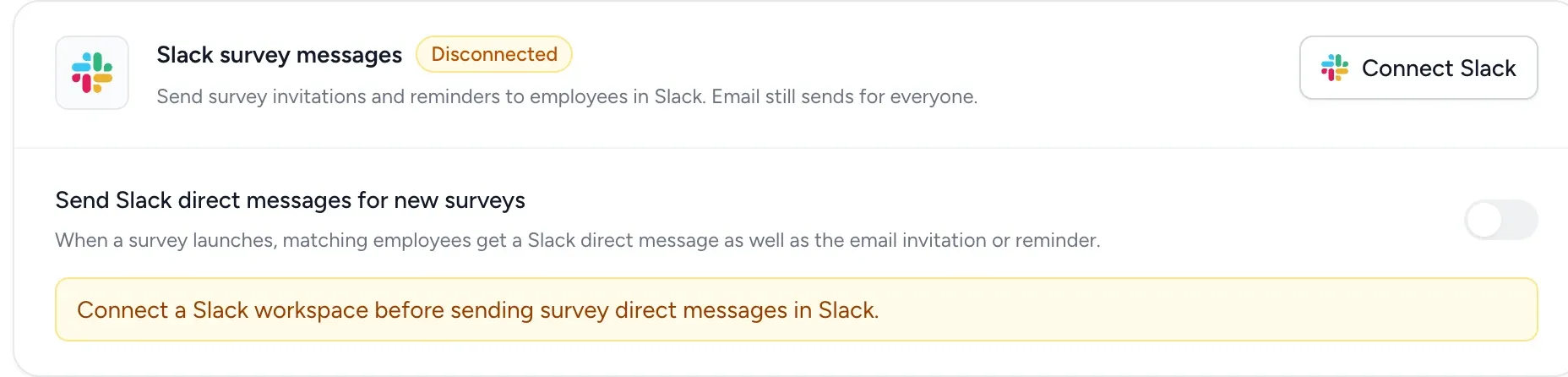
- Click Connect Slack.
- Slack opens and asks you to approve FeedbackPulse.
- Review the requested permissions and click Allow.
- Slack redirects you back to FeedbackPulse.
After connection, the Slack section shows Connected and displays the Slack workspace name.
Turn on Slack messages for new surveys
Section titled “Turn on Slack messages for new surveys”After Slack is connected, you can choose whether new surveys should send Slack direct messages by default.
- Go to Settings > Integrations.
- Open Slack survey messages.
- Turn on Send Slack direct messages for new surveys.
When this is on, new surveys use Email + Slack direct message by default. You can still change delivery for an individual survey before launch.
Choose delivery when launching a survey
Section titled “Choose delivery when launching a survey”On the Review step of the survey launch wizard, FeedbackPulse shows the delivery channels before you launch or schedule the survey.
| Delivery shown | What happens |
|---|---|
| Email + Slack direct message | Matching employees receive a Slack direct message and everyone receives email |
| Email only | The survey sends by email only |
| Connect first | Slack is not connected yet; connect Slack before launch if you want Slack messages |
| Unavailable | Slack messages are not available for this workspace or environment |
To change delivery for one survey, click Change in the Delivery section and update the Slack direct messages toggle.
What employees receive
Section titled “What employees receive”Employees who match between FeedbackPulse and Slack receive a direct message when:
- a survey invitation is sent
- a survey reminder is sent
Each Slack message includes the survey name and a secure link to respond. Employees do not need to log in to FeedbackPulse to answer from the survey link.
Check Slack delivery
Section titled “Check Slack delivery”After a survey is launched, open the survey and review the recipients list. When Slack delivery is enabled, FeedbackPulse shows Slack message delivery status for invitations and reminders.
Common statuses include:
| Status | Meaning |
|---|---|
| Sent | The Slack direct message was sent |
| Queued | FeedbackPulse is preparing to send the Slack message |
| Skipped | Slack was not attempted for this recipient, usually because they could not be matched |
| Failed | Slack returned an error; email delivery continues separately |
Disconnect Slack
Section titled “Disconnect Slack”You can disconnect Slack from Settings > Integrations.
Disconnecting Slack stops future survey direct messages in Slack. Existing surveys and email notifications continue to work.
Frequently asked questions
Section titled “Frequently asked questions”Q: Will Slack replace email?
A: No. Email still sends. Slack adds a second delivery channel for matching employees.
Q: Why did some employees not receive a Slack message?
A: The most common reason is that their Slack email address does not match their FeedbackPulse email address. They will still receive the email invitation or reminder.
Q: Can I turn Slack off for one survey?
A: Yes. On the survey Review step, click Change in the Delivery section and turn off Slack direct messages for that survey.
Q: Can employees answer directly inside Slack?
A: Not yet. The Slack message links employees to the FeedbackPulse survey response page.
Q: Who can connect Slack?
A: FeedbackPulse Admins can start the connection. Your Slack workspace may also require approval from a Slack workspace owner or admin.